
⚙️ Traces from the dawn of innovation
USB-C Cables Explained: Why Some Are Surprisingly Slow
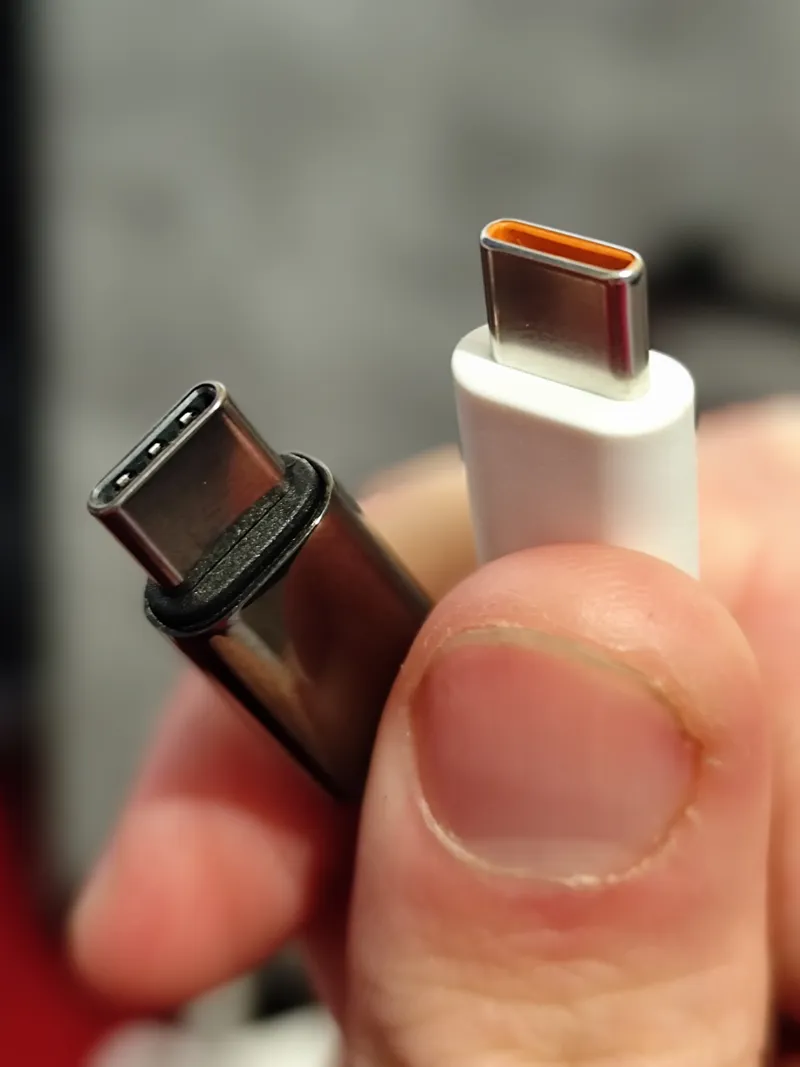
- What: USB-C refers to the connector shape, not the cable’s speed, charging, or video capability, so cables that look alike can perform very differently.
- Where:
- When:
USB-C looks universal, but the cable behind that connector often is not. That is why two cables with the same plug can behave very differently, even when both seem new, expensive, or well made.
USB-C Connector vs Cable Capabilities
The confusion starts with the shape. USB-C is a connector standard, not a promise of speed, charging power, or video support. A cable can have USB-C ends and still be built with only the older USB 2.0 data lines inside. Manufacturers do this for a simple reason: fewer wires and simpler construction usually cost less.
On a desk, the result is easy to miss. A braided cable with metal housings can look premium, but looks do not reveal what is actually wired inside. One cable might handle fast file transfers, high-watt charging, and an external display. Another might only manage basic charging and USB 2.0 transfer speeds, which top out at 480 Mbps. Both still fit the same port.
A common example happens when someone buys a USB-C monitor, dock, SSD, or phone accessory and uses whatever cable is nearby. The device connects, so it seems fine at first. Then the laptop will not output video, the external drive crawls during a file copy, or charging stays slower than expected. The port gets blamed, but often the cable is the bottleneck.
Why Some USB-C Cables Are Slow
That is the misconception at the center of USB-C frustration: people think the connector defines performance. It does not. The connector only tells you the shape of the plug. The cable’s internal wiring, electronic marker chips in some higher-power cables, and the supported USB standard decide what actually happens.
This is also why expensive-looking cables can disappoint. Price can reflect materials, branding, or durability, but not necessarily full-featured wiring. Some cables are designed mainly for charging. Some are designed for basic accessory use. Some support high-speed data and high power. From the outside, they can be almost impossible to tell apart unless they are clearly labeled.
When the Cable Is the Bottleneck
The practical implication is simple: a USB-C cable is not a universal performance guarantee. When charging is slow, data transfers feel stuck in the past, or a display refuses to light up, the problem may not be the phone, laptop, or charger at all. It may be a cable that was built to do much less than its connector suggests.
Did You Know?
The USB Implementers Forum introduced USB4, which uses the USB-C connector and can reach up to 40 Gbps.